Construction safety,
mapped in space and time.
SimOps maps every work area, plant item, zone and person on a live site — and flags where they're about to collide, before anyone is on the ground.
22× faster clash compute after our engine rework 82% fewer clash alerts on a live site proven at 10,000-worker scale
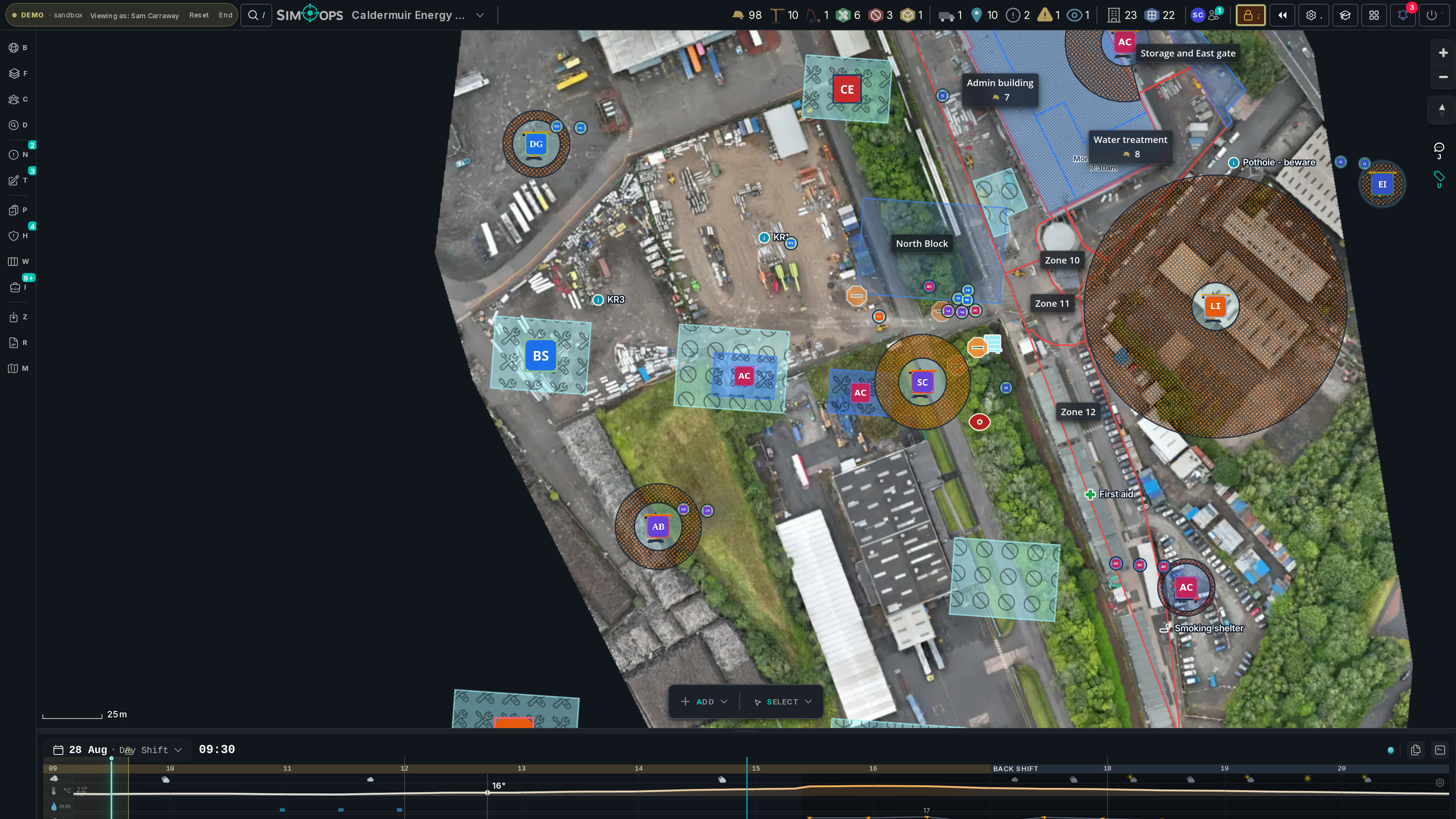
Running live on a major-hazard energy-from-waste site in the UK — every shift, every trade.
Your site, in space and time.
Not a drawing of the plan — a model of it. Every work area, plant item, zone and person carries its time window, so the site you see at 14:00 is the site that exists at 14:00.
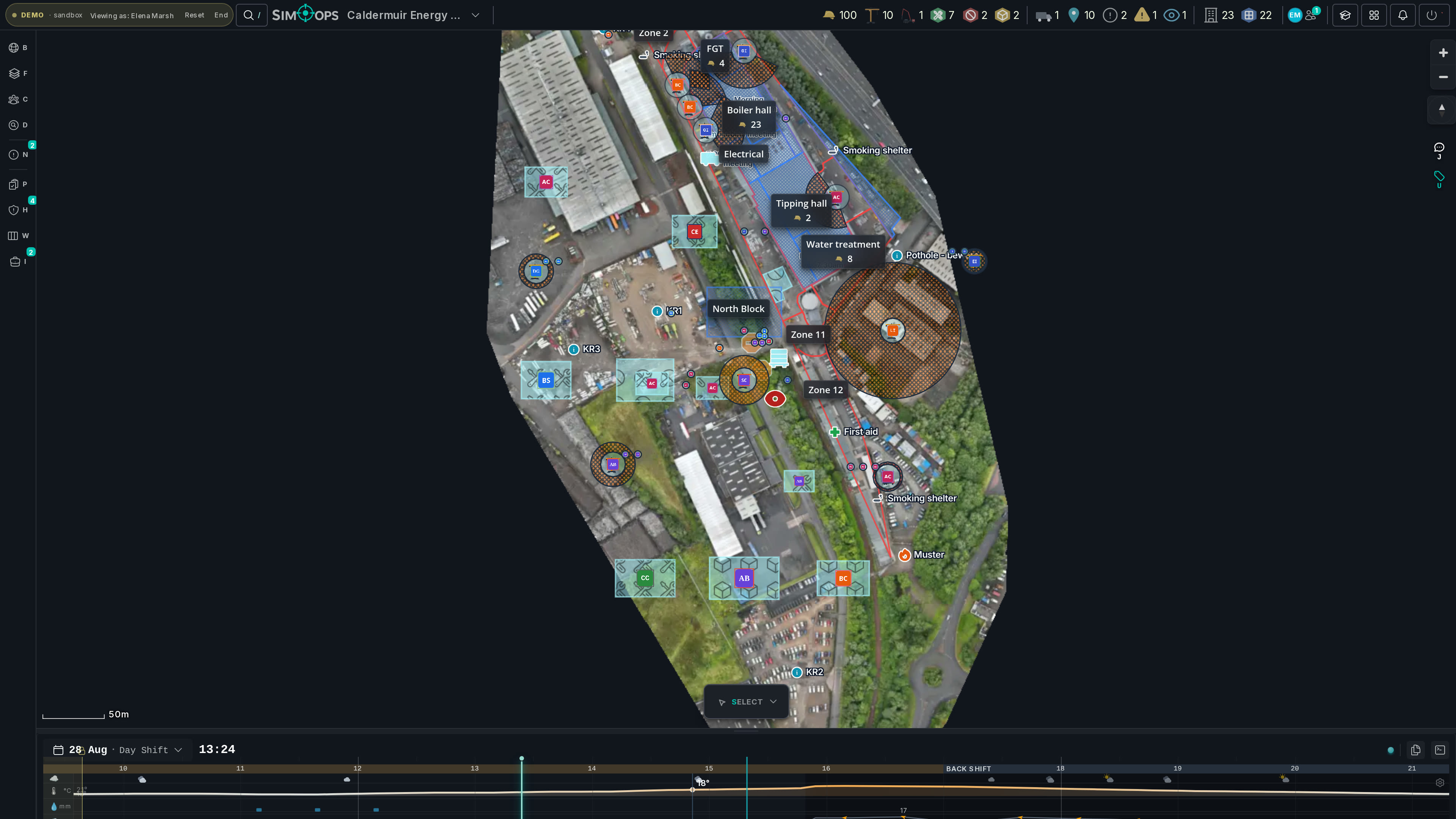
Any hour, on demand. Scrub the clock and the site follows — crews appear, shift and clear, and the clash exists only while two work windows overlap.
Catch spatial conflicts before they happen.
A declarative rules engine checks where work areas, plant drop zones and people overlap in space and time — and ranks every clash by severity.
- Spatial and temporal rules across work areas, plant, zones and people.
- Severity-ranked red / amber so the worst conflicts rise to the top.
- Building-aware — a clash on level 2 never fires against work on level 5.
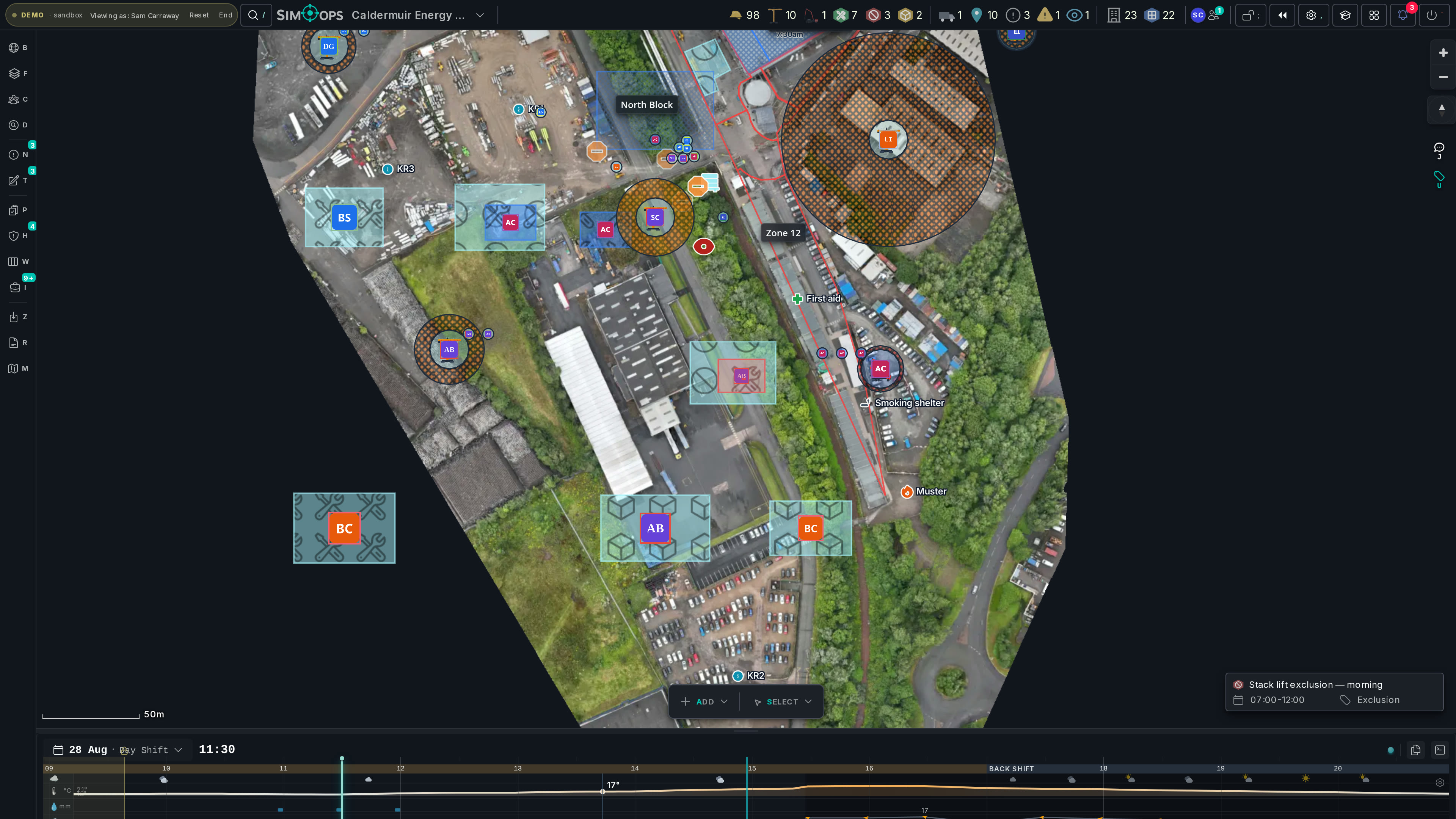
The permit is the plan — from request to close-out.
SimOps runs the whole permit-to-work lifecycle: draft, endorse, approve, issue, close — two-stage gates where your site demands them, expiry swept automatically. Your permit spreadsheet still imports in one step; now it's one door into a living board.
- The full lifecycle on one board — request through countersigned issue to close-out.
- Import permits straight from your XLSX — config-driven for any layout — and the schedule, zones and contractors pre-fill from what was signed off.
- Every permit rests on the exact RAMS revision it was approved against — hash-frozen at submit. A later upload warns; it can never silently re-paper an approved permit.
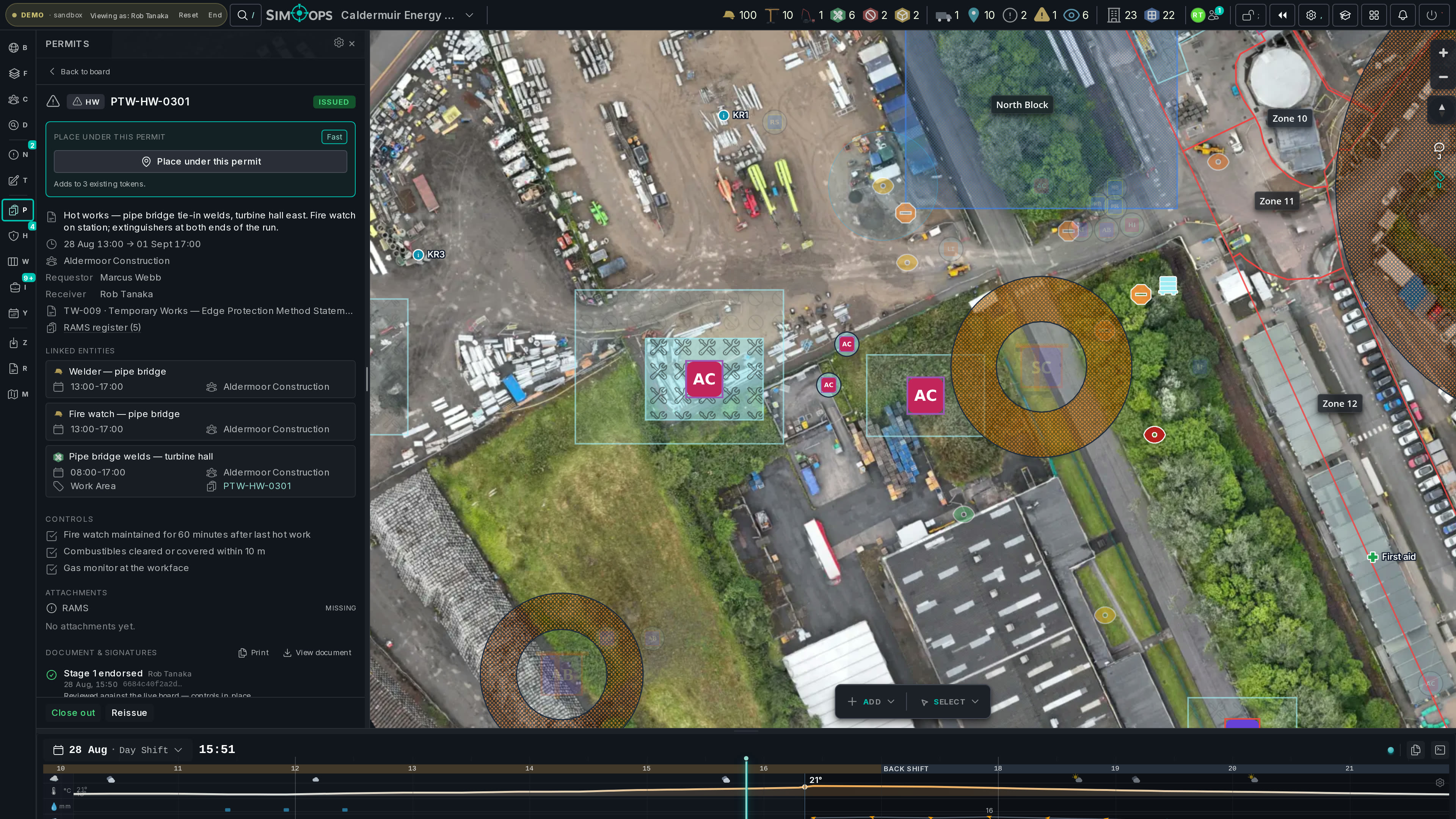
The programme says one thing. What is the site actually doing?
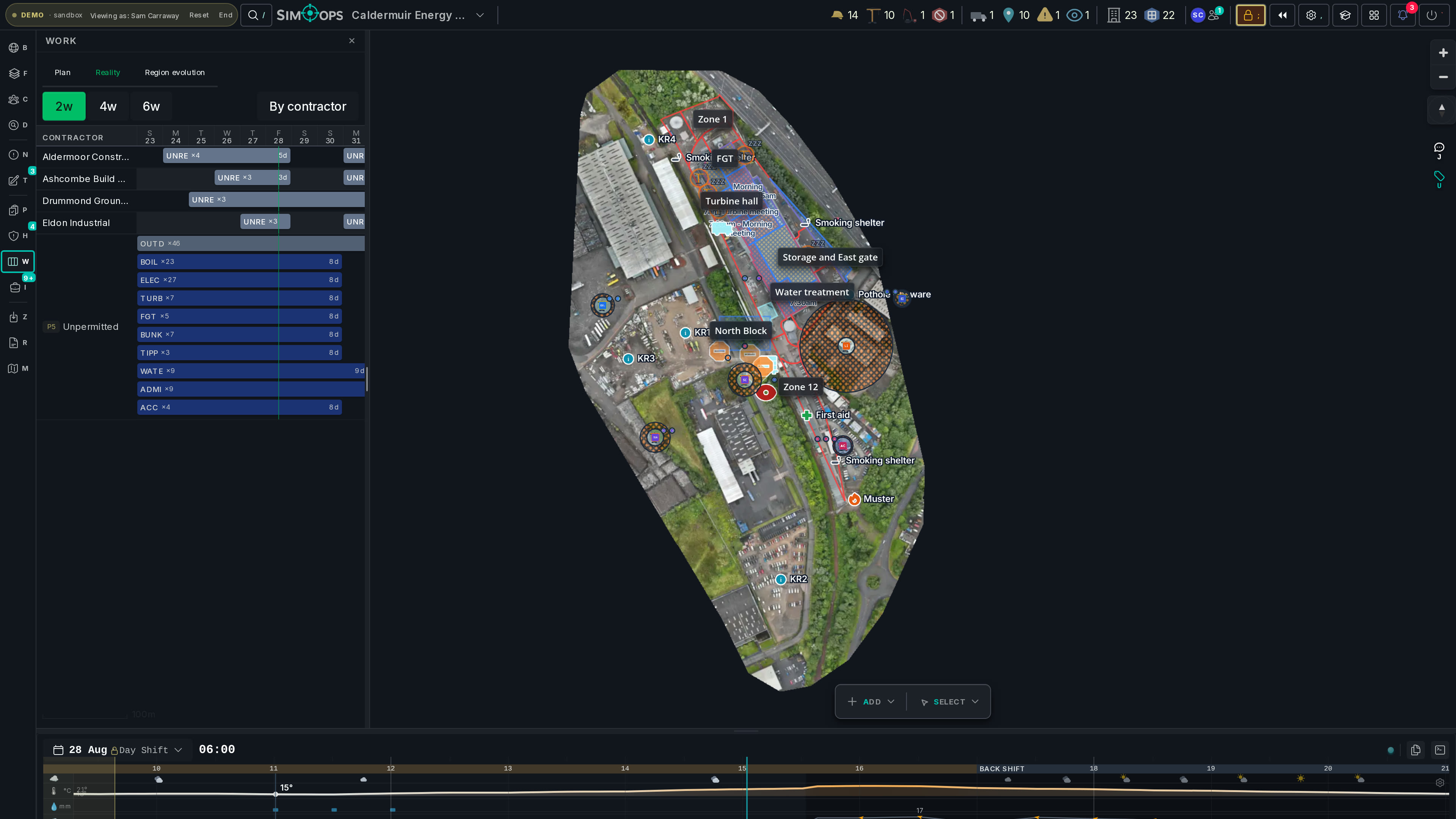
Issued permits aggregate into a live contractor × place × day matrix — a read-only reality view you hold up against the master programme. No P6 import, no sync project, no arguing with the schedule: just what the site is actually doing, by place, by day.
- Contractor × place × day, aggregated from issued permits — reality, not intention.
- A map choropleth shows where the work concentrates; drill from building to floor.
- Cross-reference your P6 without importing it — the programme stays yours.
Find it. Fix it. Prove it.
A hazard seen is worth nothing filed in a spreadsheet. SimOps runs the whole loop — report, triage, action, evidence, closure — and nothing closes until the fix is real.
Detection is half the job.
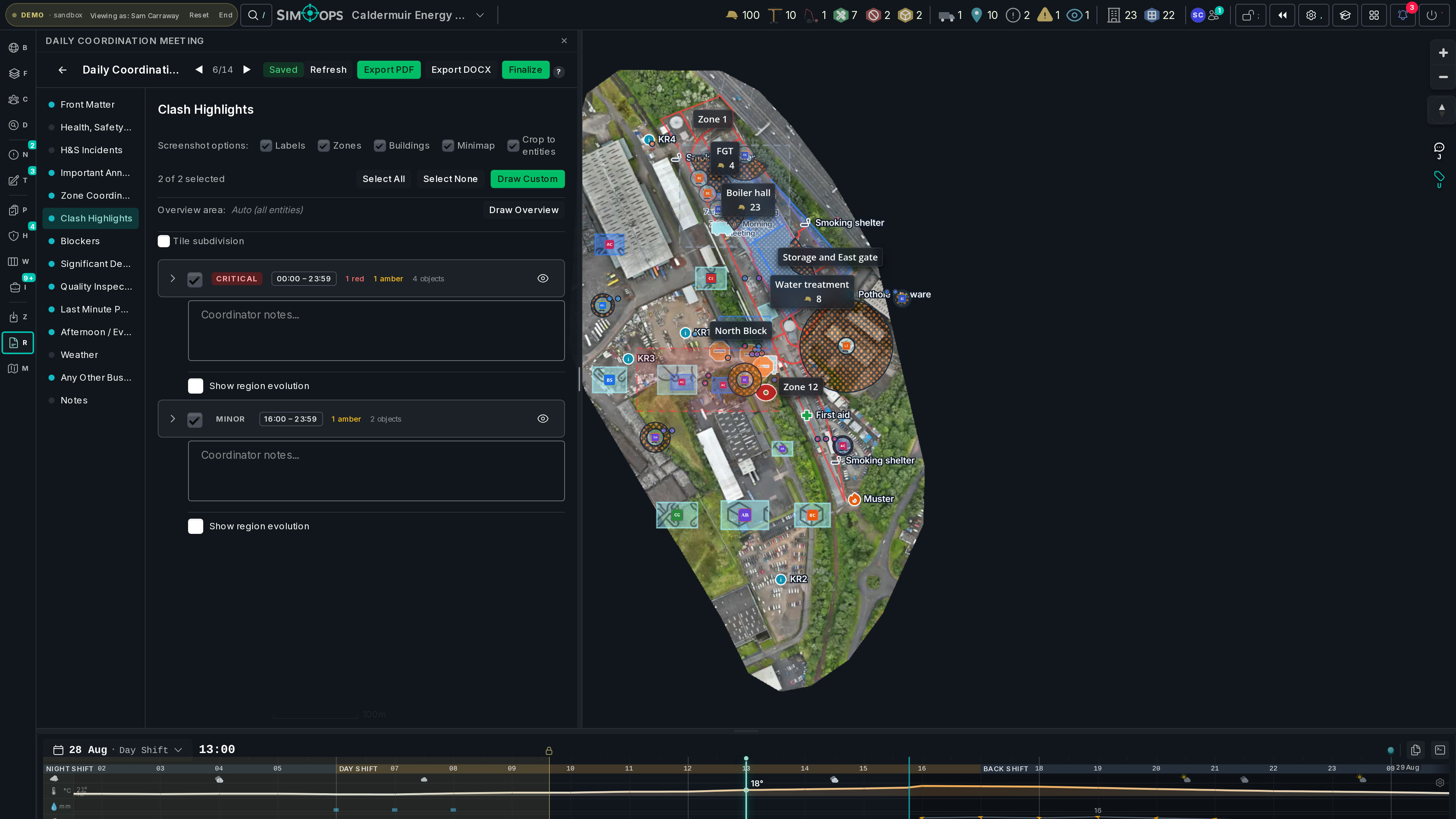
SimOps pushes each clash to the right person — noticeboard, notification, task — and the morning briefing writes itself from the scenes a coordinator accepts.
- A rules engine routes site events to the right seat, in-app or by email.
- Action-requiring pings become tracked tasks, not read-and-forgotten toasts.
- The report wizard ranks the day’s clash scenes and renders a branded PDF or Word doc.
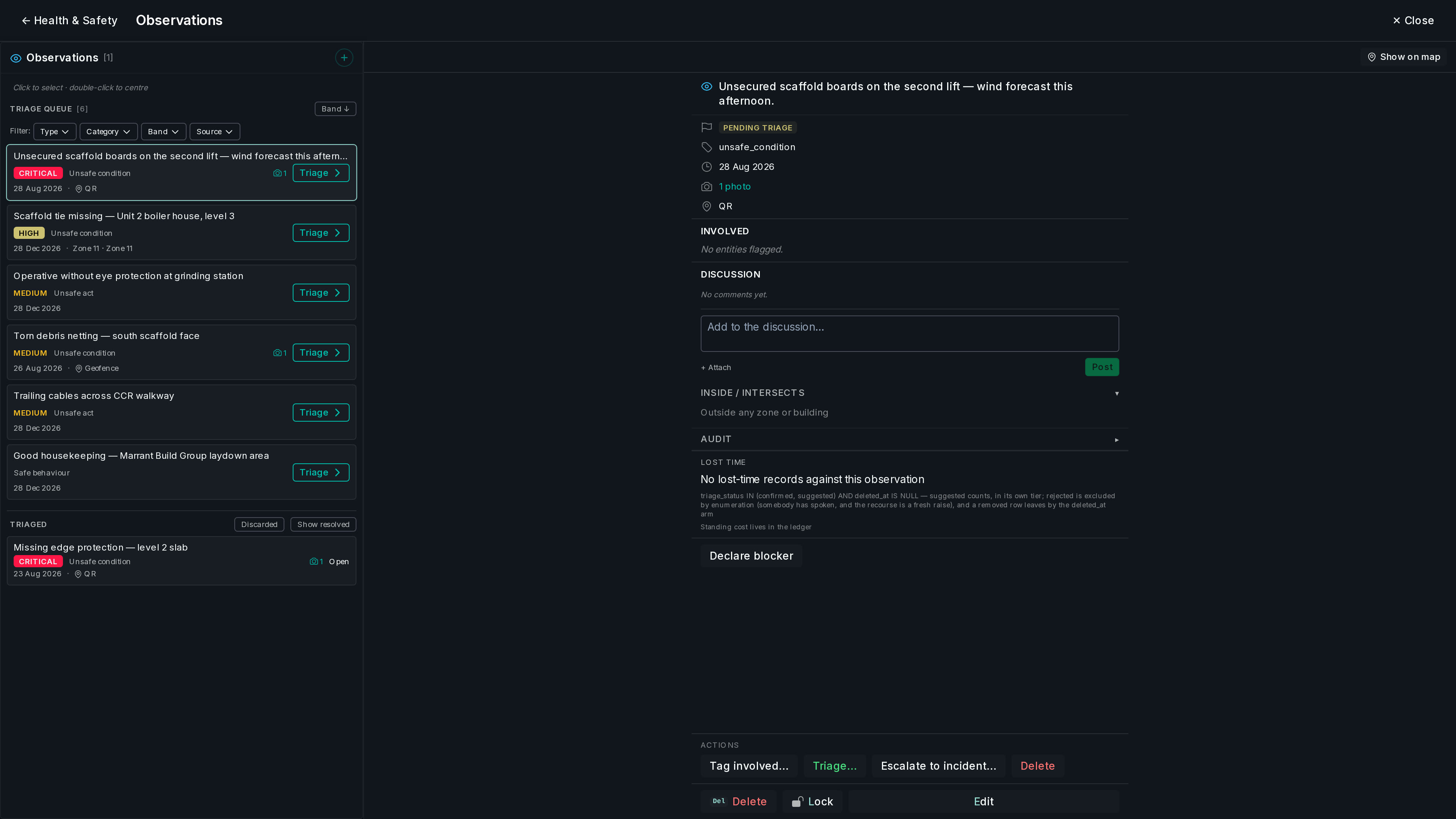
Anyone on site reports a hazard in 30 seconds.
A QR poster at the gate or the site’s geofenced URL — no app, no login, no name required. Photo, a tap on the 5×5 grid, GPS evidence. HSE triage gates what the site sees.
- Anonymous by default — friction and fear both removed.
- Photo, severity tap-grid and location evidence attached at the source.
- The geofenced URL only serves on site — containment by GPS.
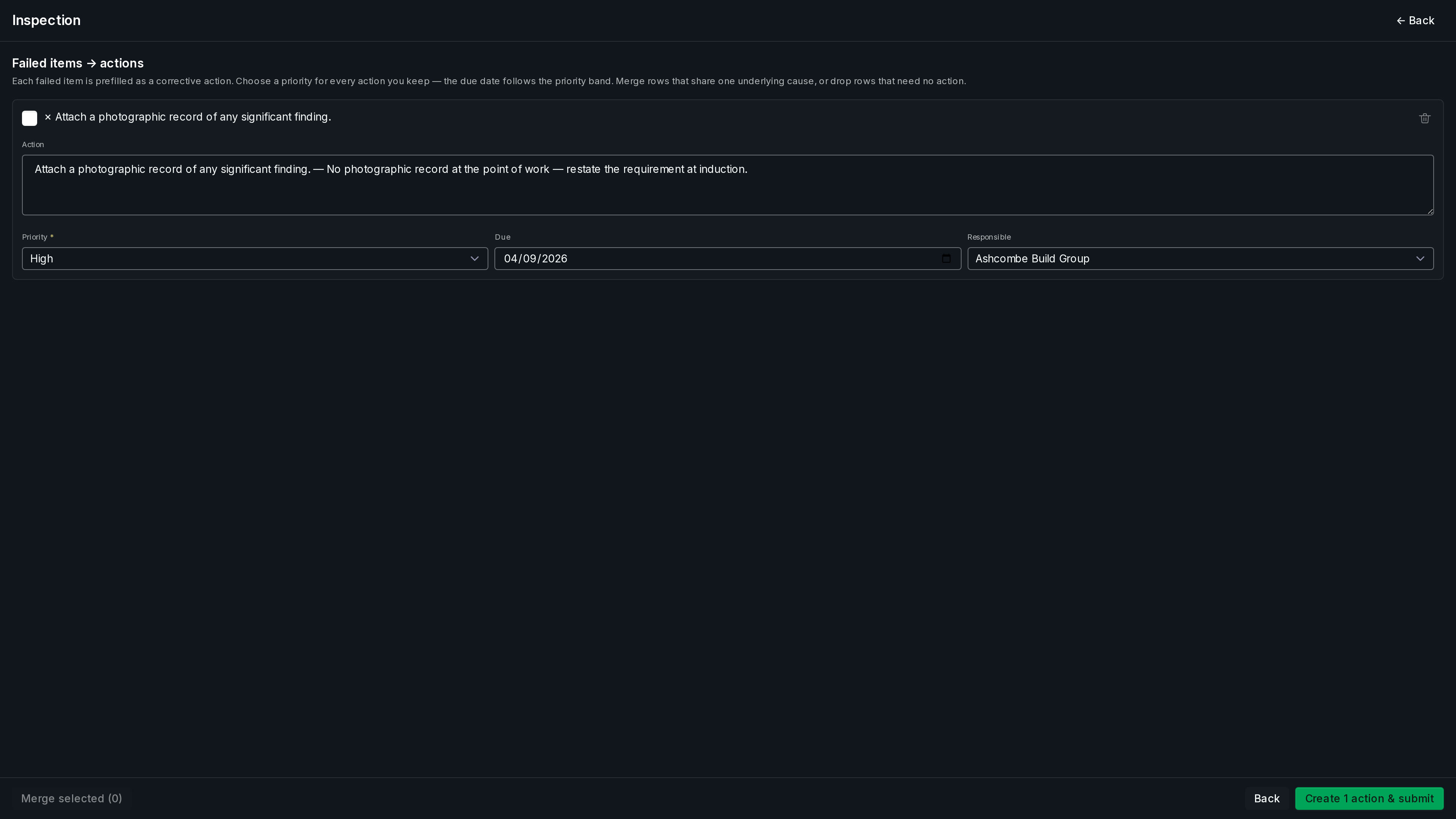
Every failed check becomes an action with an owner.
Templated, versioned checklist audits — and a failed item mints a corrective Action on the spot: one accountable company, a due date, mandatory photo evidence at close-out. HSE accepts it or bounces it back, on the record.
- Versioned inspection templates — the audit you planned, every time.
- Fail → Action: one owner, one due date, no orphaned findings.
- Close-outs carry photo evidence; a rejection returns it with the rework count.
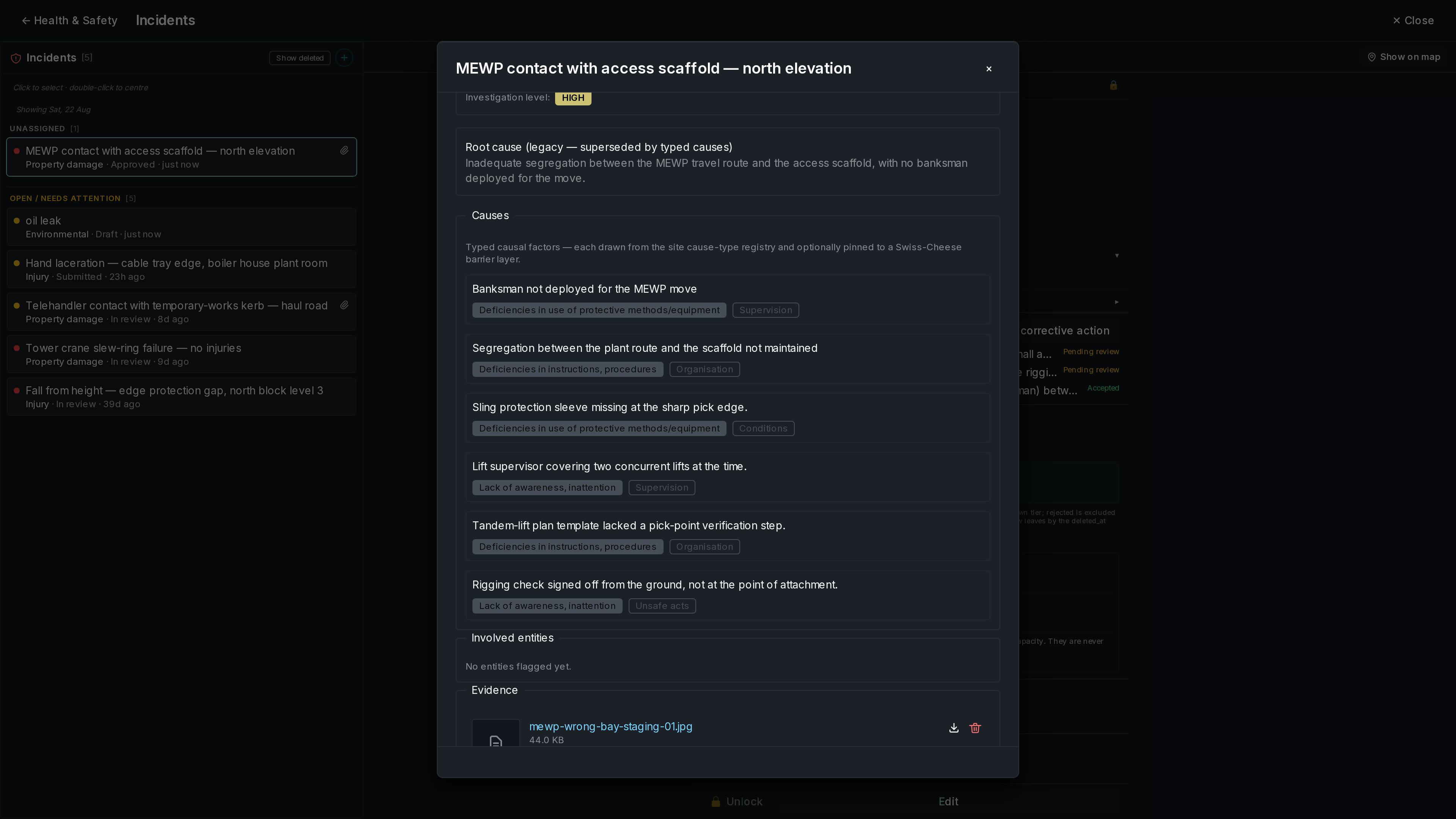
An incident only closes when its actions are done.
The 5×5 severity matrix, the chain of events, causes pinned to Swiss-cheese barrier layers, RIDDOR accounting — and closure that is derived, not declared. A rejected fix reopens the case.
- Structured investigation: severity, event chain, barrier analysis.
- RIDDOR reportability captured as data, ready for the regulator.
- Derived closure — nobody box-ticks past an outstanding action.
When the claim lands a year from now, the record already exists.
Everything above leaves a contemporaneous, tamper-evident trail — declared when it happened, by the people who were there.
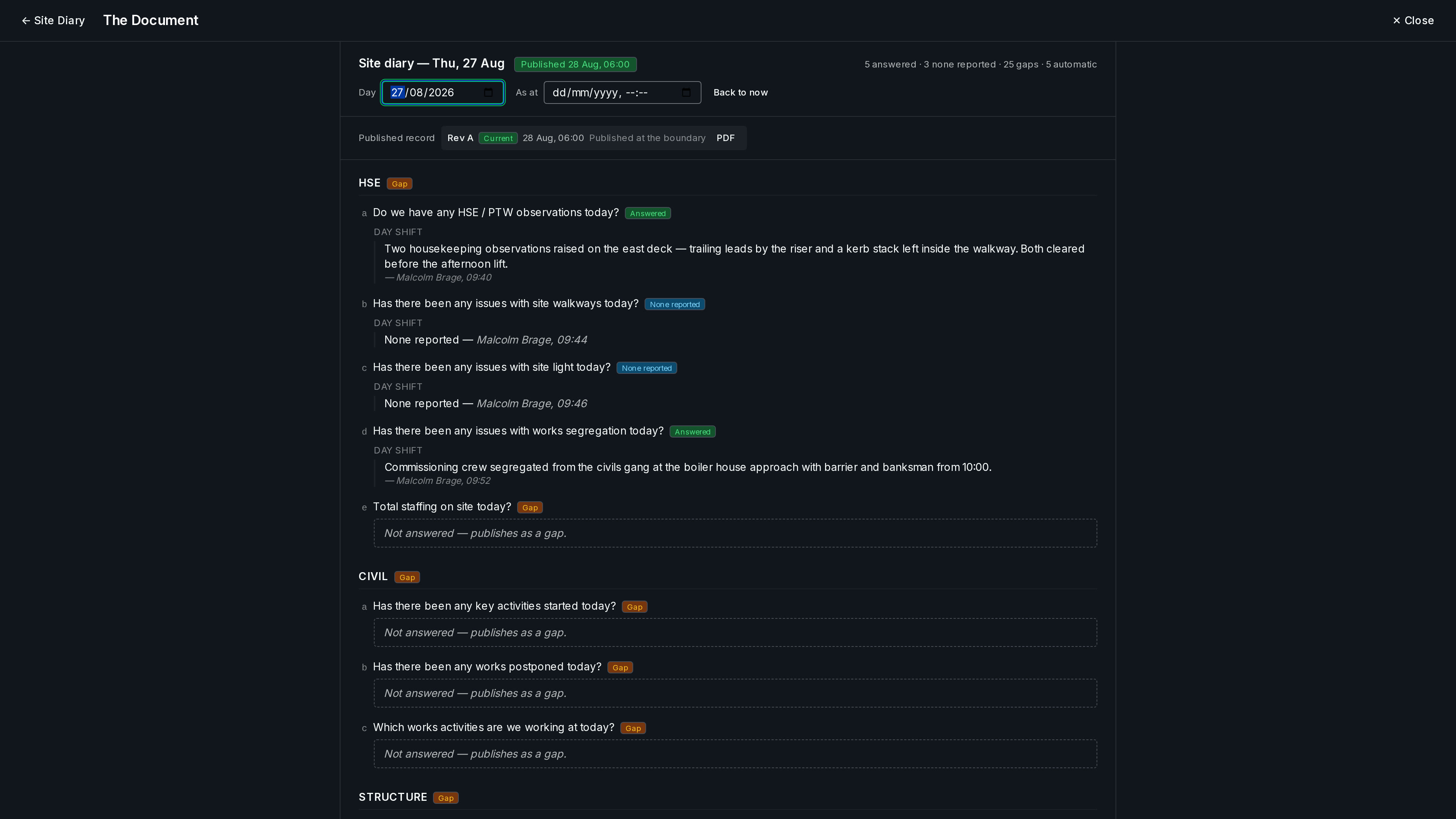
The day writes itself down.
Every working day gets a diary the system largely fills in itself — weather, labour on site, the permits that ran — while a phone-first round asks people only what the system can't know. At the site's deadline a sweep publishes Revision A: an immutable PDF, corrections issued as drawing-style revisions, never edits.
- AUTO cells the platform answers from its own record; human answers are attributed and append-only.
- Published on schedule by the system — there is no "publish" button to forget.
- In the client's inbox every morning. The daily record, without anyone asking for it.
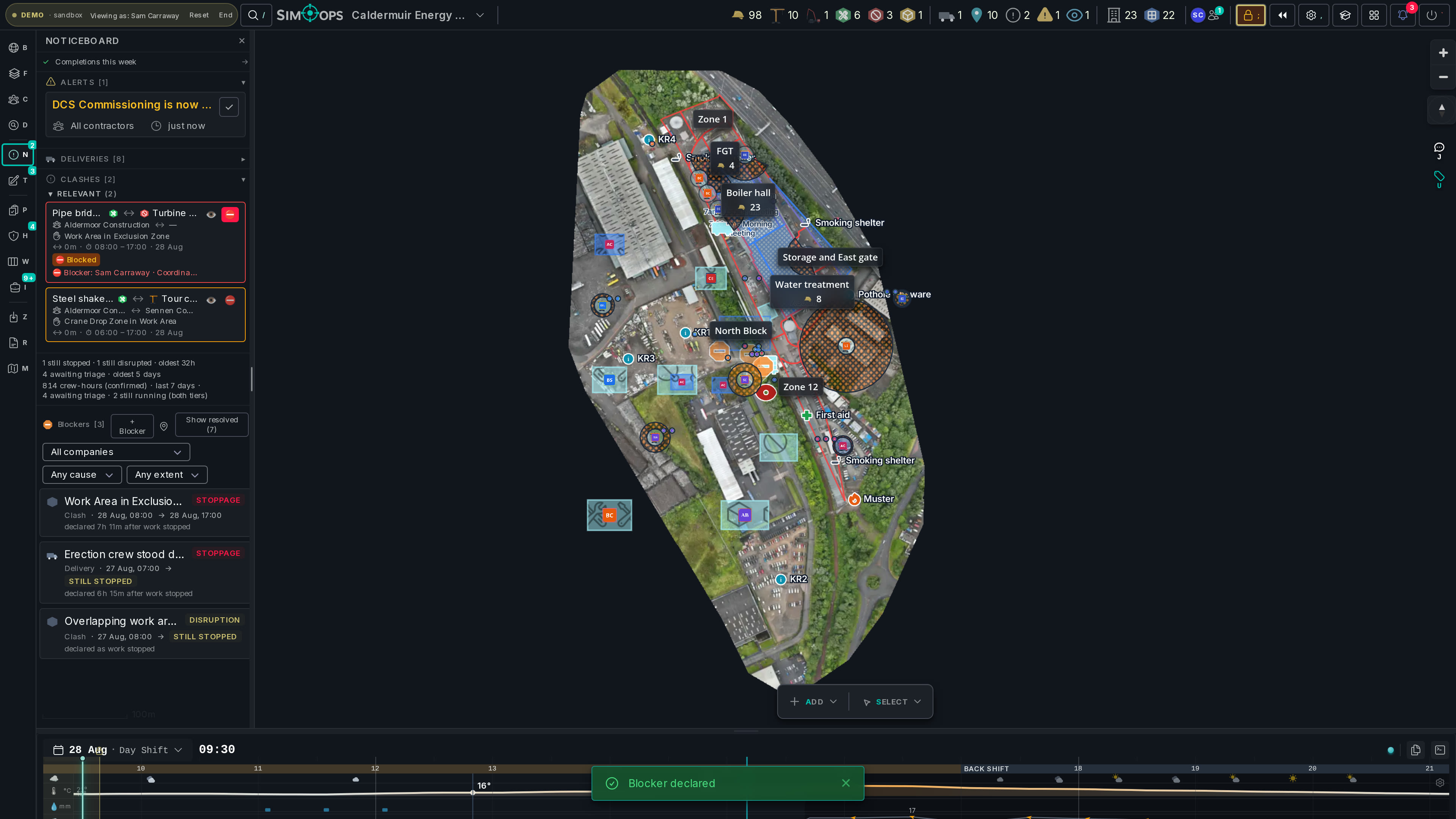
Declare the stoppage while it's happening.
Cause, affected permits, delay vs disruption, the actual stop and resume times — countersigned or disputed on the record. Over the stoppages, a crew-hours lost-time ledger. Beside them, the contractual defects register, imported and tracked per contractor. The whole claims surface, on one screen.
- Concurrent delay is visible: overlapping windows on one timeline.
- Lost time as window × headcount crew-hours — your firm's position, and the site's.
- The defects register — the clause-45 money — lives beside the stoppages it argues with.
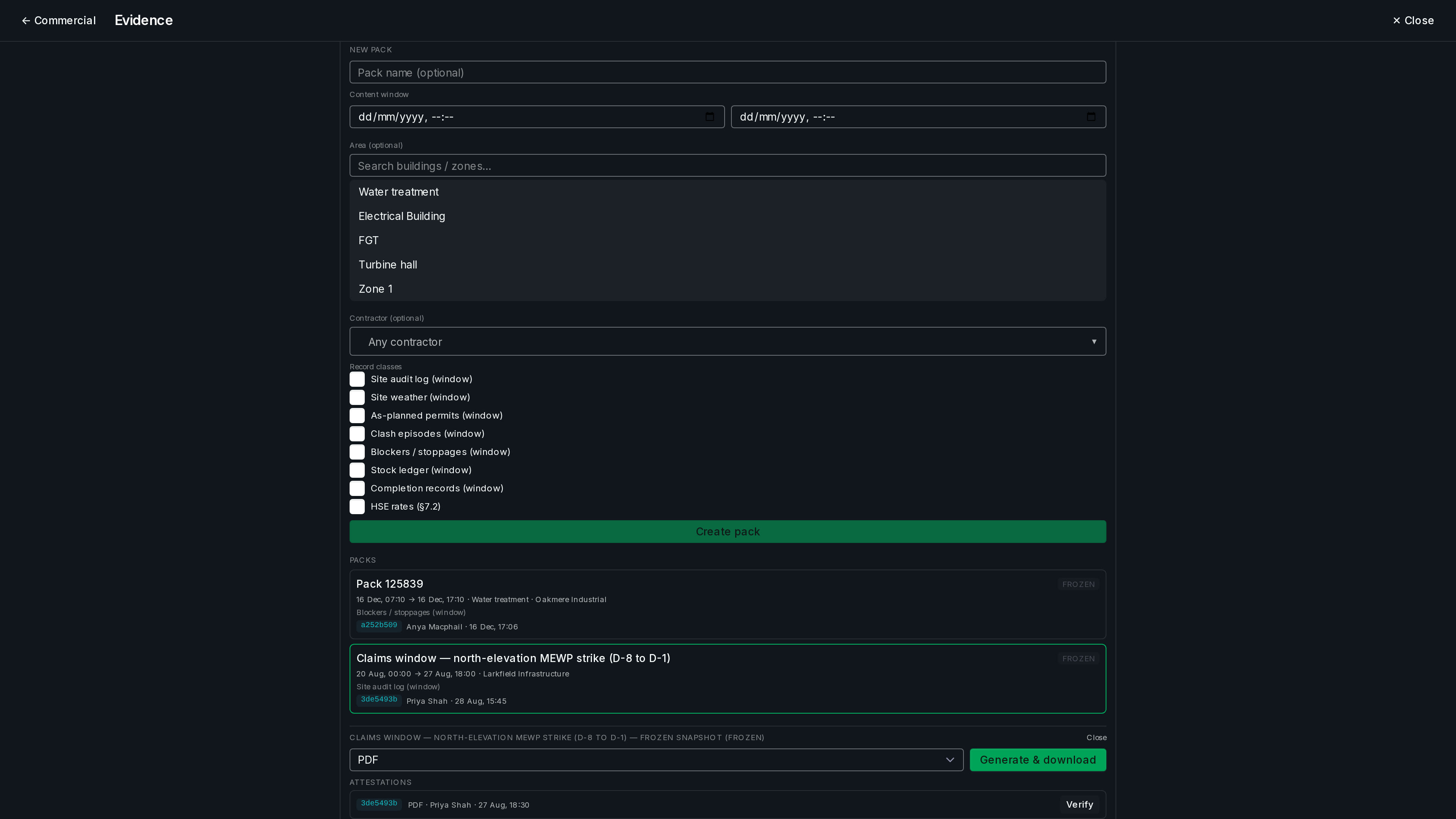
One click. One window. One frozen pack.
Bundle a declared window — time × area × contractor — into a branded narrative PDF with raw CSV and GeoJSON annexes, frozen with a content-hash attestation. “What did we hand the other side in March?” This pack, these contents, this moment.
- Attestation hash: the pack proves its own contents and its moment.
- Weather sections label contemporaneous observation vs later reanalysis — honestly.
- The commercial seat reads everything — and writes exactly one record, the stoppage ledger.
One live model. Six ways to need it.
“The 8am briefing writes itself.”
Your day in SimOps HSE“Findings stop dying in spreadsheets.”
Your day in SimOps Contractors“Your crew visible. Your evidence kept.”
Your day in SimOps Site managers“The whole site, actually current.”
Your day in SimOps QS & commercial“Claims are won on records you kept at the time.”
Your day in SimOps Clients“The morning email arrives before you ask.”
Your day in SimOpsClash intelligence that respects time, not just space.
SimOps validates that work actually coexists — same shift, same place — so coordinators chase real conflicts instead of phantoms from impossible schedules.
Phantom alarms gone
Time-validated coexistence: SimOps only alerts on work that actually coexists — same shift, same place — and when our engine tightened, a deterministic check proved zero real hazards were lost.
Hazards as data, not code
Clash rules live in the database. Tune a proximity distance or add a hazard interaction without a redeploy.
Every session in sync
WebSocket presence, live entity updates and conflict-free concurrent polygon editing keep every seat on one shared picture.
Tamper-evident records
Hash-attested evidence packs, briefing signature chains, append-only ledgers — and a daily site diary published as immutable revisions. Records built to survive hostile questions.
Find out how SimOps fits your next project.
A 30-minute walkthrough on a site that looks like yours.
Want to see it on your site?
Bring your permits and a floor plan. We'll show you the clashes you're carrying today — and the report that clears them.
No install · runs in the browser · scrubbed demo data